Showing posts with label Average Camera Pro: Vintage Scene. Show all posts

Wednesday, February 16, 2011

A Rose is a Rose....APPs...Slow Shutter: AverageCameraPro and more.

Slow Shutter

Today, was a great day to get outside and get a jump on some early yard clean up. I spent the best part of the day raking leaves and picking up branches that the wild wind over the last day or so sent sailing to the ground. I also spent some time working on my presentation for Penn Camera on iPhone Photography dubbed "iPhoneography". By the late afternoon I was done in the office needed a break and decided before the roses fade away, I should take a few more images...so I used the iPhone app SlowShutter and Average Camera Pro (multiple exposure app) to capture these images. Ran them through the various apps I have been using Lo-Mob and VintageScene for the aged look and a little texture in Iris. I like the Vintage Scene for the fact that you can save your settings if you find a combo of choices that you like.
Slow Shutter
Average Camera Pro Multiple Exposure

Slow Shutter


Tuesday, February 15, 2011

Average Camera Pro: Vintage Scene Apps


Yesterday I received a lovely vase of roses..and in keeping with the rose leaf, rose theme, I decided to try some multiple exposures last night with the Average Camera Pro app and the vase of roses. It takes a little experimenting with the iPhone and the app to get the exact look and composition, not unlike working with a Big Camera in the field making comps and working a scene. When I had some images I thought had potential I went to work processing them for a "Look" in the vein of the aged out of focus work I have posted on the last couple blogs..so maybe this will be it for that "Look" but I must admit I do love the apps, Lo-Mob and Vintage Scene in combo with each other. There is also a Filter Texture inside of the Iris app called "Old Book" that I used on the opening image as well for the script and texture. Vintage Scene has some Victorian borders which lend themselves well to the aged look of these rose images here. When I was processing these, they reminded me of when film photographers would smear the front of their lens with a substance to create a faded soft look.
This image was processed differently in that the original capture was made with the Average Camera Pro app, but first I smudged it up in PhotoForge. After that I ran it through a watercolor and oil paint app in PhotoForge, then I applied a sand texture to it in Iris....and added a vignette and the ran it through Vintage Scene for the border effect....lots of fun and experimenting to see what will happen...
The good news too is that my 70-200 lens arrived today, repaired from Nikon after I dropped it.........Yippie!

Wednesday, February 9, 2011

Average Camera Pro


I was asked about the process I  used to create this image and the easiest way for me to explain is with pictures and a little verbiage in a blog. Hope this explains it. The image started with the capture of some dried rose leaves laying in a bank of snow. So the back ground was very clean with some exceptions of dirt spots in the snow..... the image below is the original capture straight from the iPhone as I made 9 shots with the Average Camera Pro app. which blended them as a multiple exposure single shot. (Like Nikon camera's in camera multiple exposure function) Pretty cool huh!


AE TTV Print Toning and this was the result I liked as a starting point.


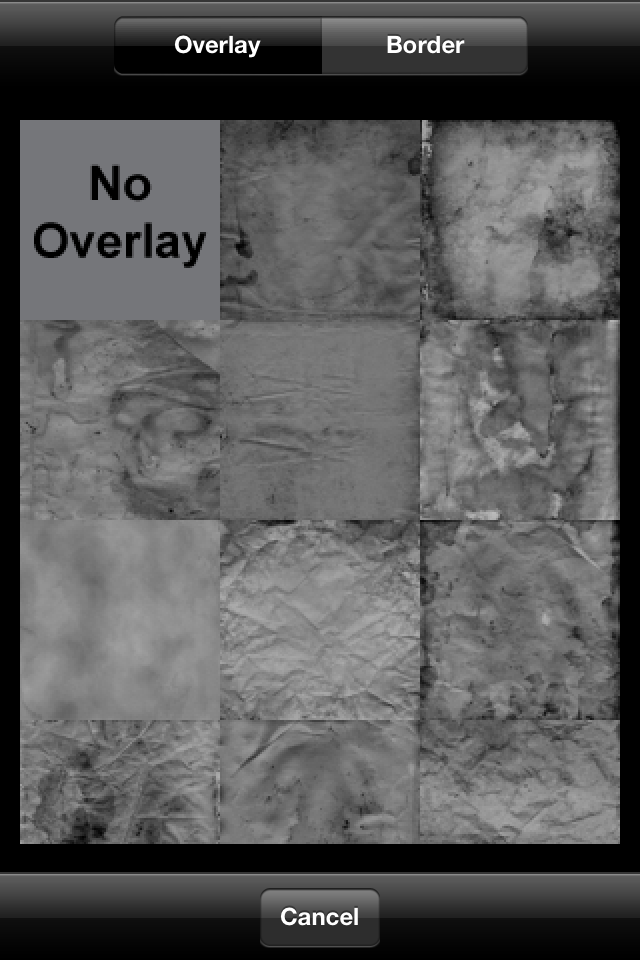
After this process, I opened the image above in an app called Vintage Scene. In Vintage Scene you can select a color for the image aging,  a color for the paper aging, a fade out option, an image strength option, a texture strength option and a border option. Here's a screen grab of the settings I used to create the opening image. Adding color and a certain texture in Vintage Scene finished the processing of the opening image.