Showing posts with label Crop'n'Frame. Show all posts

Thursday, July 4, 2013

Crop'n'Frame sale this weekend

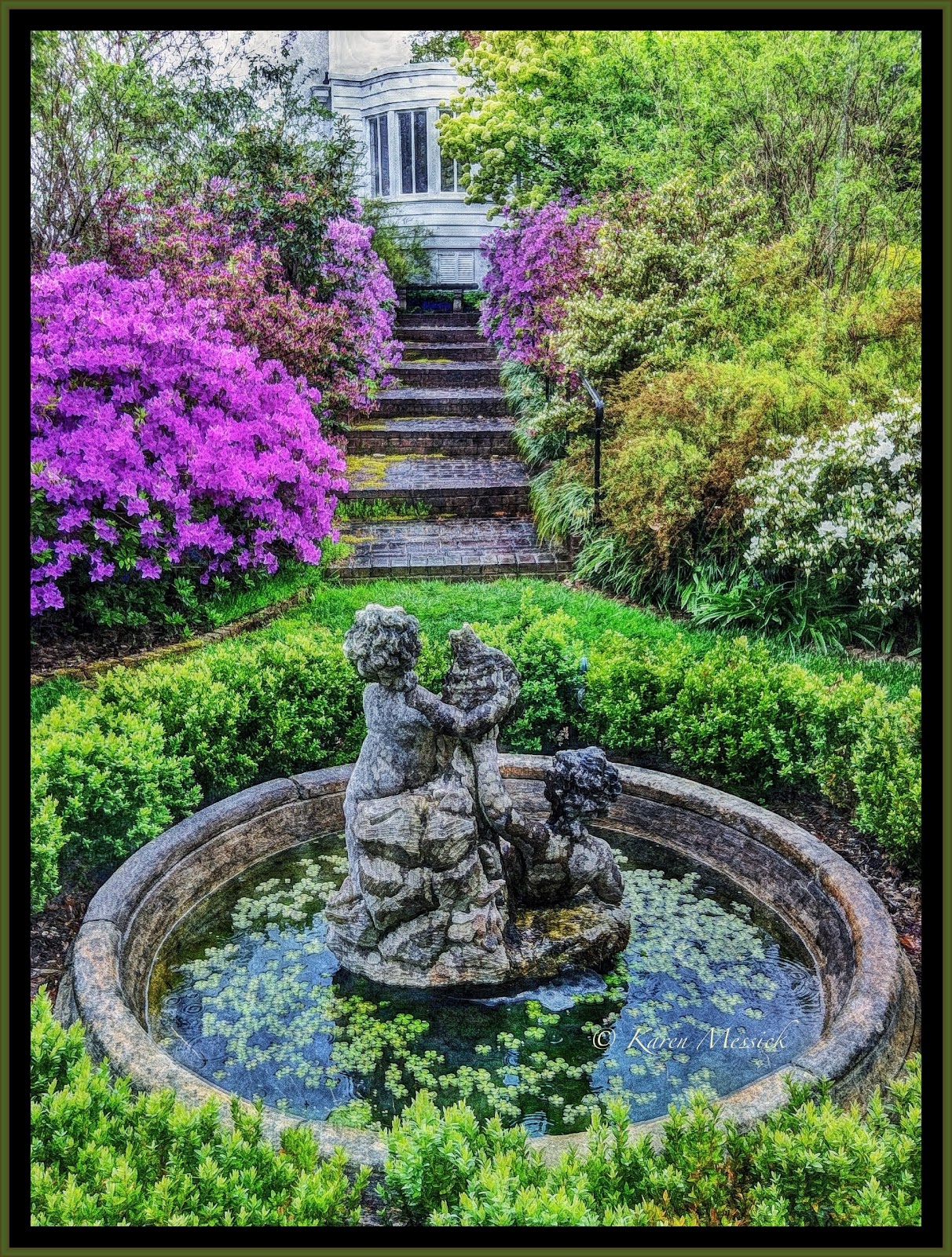
Just had an e-mail from Tracy fhe developer of Crop'n'Frame....it's 50% off this holiday weekend....and there are some new features in development. If you like custom frames on your iPhone images check it out in the App Store. The image below is an example of what the app can do. The interior frame treatment was customized in PhotoToaster. The image is a Giant Blue Cantanache from my garden, Glazed of course!  If this post looks a little different its my first time trying the Blogger Mobile App. but I wanted to let you know about the Crop'n'Frame special! Happy 4th of July!!!!0


Saturday, August 4, 2012

File SIze ~ App Value ~ Your Call!

Resolution 2592 x 2592 6.7mp
I recommended the new App I like called "Glaze" in one of my e-mail newsletters to my mailing list and received back a comment from one client that they were going to buy the app until they read the online reviews, where someone had left a derogatory comment on the web developers site regarding the resolution. They then said it was too small a resolution to buy and small resolution apps should be banned, therefore they were not buying it. OK well that's fine I don't get any money from recommending an app, but in my workflow I often use an app not for the absolute file that app produces but for the effects it might generate for blending. The largest file size that "Glaze" delivers for a rectangular image was detailed in my original post.
The square file size "Glaze" delivers is 2048 x 2048 or 4.1mp.
The image above began as a 6x6 App shot with a file  size of 1936 x1936, so Glaze actually upsized the original file by choosing the save as menu and "Print" as a size choice. (I still shoot with a iP4 5mp cam, anxiously awaiting the iP5 release)
Here is the orignal file image:
Image 1
Image 2
Here is the version of the "Glaze" rendered file I chose to use as the beginning of my "new" image. 
The next step in the process was a run through Modern Grunge which maintained the 2048 x 2048 resolution.
Image 3
Now that I had this file saved I wanted to go back into Modern Grunge and make further adjustments to the image, which are below, maintaining the 2048 x 2048 file size.
Image 4
The next thing I wanted to do before going any further was to remove the black lower right hand corner, so I used the Touch Retouch lasso tool, to add back color into the corner, again maintaining the current file size of 2048 x 2048.
Image 5
My next idea was to minimize the ripped white edge achieved in Modern Grunge so I opened Juxtaposer and masked out and blended down the file with Image 3, maintaining the 2048 x 2048 resolution. 
Image 6
Then I wanted to run it through Snapseed and recolor the image with the Grunge Filter. The image then developed into the one below maintaining the 2048 x 2048 resolution.
Image 7
 Now I was getting where I wanted with the tones of old Asian Paper or Tapestry, but it needed some Chinese letters. So I opened the App "Custom Kanji Wallpapers" and decided to apply the Chinese letters for "Life" "Love" and "Wisdom". Which the downsized my file to 640 x 960, as this app is truly a "SMALL RES" app. But it has Chinese letters! And I only wanted the letters so I rendered files with the letters on them, knowing I was going to blend them back with another APP of larger file size.
Image 8

So now that I had my Chinese letter files to work with I opened up ImageBlender and used image 7 with a resolution of 2048 x 2048 as my base image ( the left hand image selection ) and image 8 as my top image then masked out the top image except for the Chinese Letters, Voila now I had my 2048 x 2048 image file back with the Chinese letters on it.
Image 9

But I wanted more texture and more interest, so I ran this file through "Glaze" and used the file below for texture.
Image 10
Once again I used ImageBlender to blend and mask image 9 with image 10 selectively.
Image 11
But I wanted more......texture color so I went into Pic Grunger...and added texture Pic Grunger has resolution options up to 8mp or 3264 x 2448. So I saved the file at a largest resolution possible delivering a square image file of 3264 x 3264 or 10.6 mp which would make a nice print sized 10" x 10".
I lost file size again when adding the frame on it in Crop'n'Frame for purposes of displaying on the web, but ended with a file sized 2592 x 2592. So don't throw out an app because it has a small file size unless that's all you want is a straight file delivered from the app in which case I would say 3mp is a pretty small file, but its still bigger than the first iPhone camera which started this whole photography ~ art movement! Can you believe this started with a straight shot of a beautiful lotus? ;-) Sign up for one of my iPhone workshops and gain more insight into the art of iPhoneography! I am very excited to be offering a six week course at Johns Hopkins University in the fall. The app I use to check file size through my workflow is called "Photosize" it makes it easy to keep track of whats happening during the process.
Image 12


Saturday, June 16, 2012

Ireland or Bust!...

Sunset: Capture: BracketMode Processed: ProHDR: Autopainter; Snapseed: ImageBlender: Crop'n'Frame
Well it was a good trip, but long...leaving home Friday, June 15 at 12:45 ECT and arriving Ireland Saturday, June 16 at about 11:00am. London, Heathrow was the worst....many checkpoints and great distances between terminals..people were all nice but don't pack your iPad in your briefcase like in the US where we can just pass it through the screening. In the UK you have to also remove your iPad from your briefcase along with your laptop and tub it! But you can leave your shoes on! Who knew, so I got hung up there for a little while waiting for them to empty my briefcase and re-screen, then a mile or so to the final terminal...and one more check point!
The coolest part about the trip so far was the flight from New York's JFK at 7:00 pm...watching the sun set in the west over the wing as we flew north and then a few hours later watching it rise over the wing as we dropped down into London..My window was the dirtiest airplane window I have seen but I didn't care I was just using my iPhone and I figured I could paint it up with AutoPainter3 and I could at least capture the essence of the scene. Looking down on the earth as the light changes in the sky is truly awesome. Pilots have the best views!!!
When I arrived at the Oakwood Arms in Shannon, I was bushed...but wanted to explore a little on foot. So I walked to the local mall had a bite at the Nosh + Coffee and took a leisurely stroll back through a little village. I had noticed a business across from the hotel called tastypizza, doing business in what looked like an old thatched roof cottage with red doors. Since it was fairly commercial on the front side I passed it up as a photo opp, but when walking back through the little village the back side of the tastypizza had an all together different look and there were two Indian children playing on the door steps. So I took a few pictures the children were wonderful and wanted to pose for more. Then I showed them their pictures.As I walked around the front of the building I went in and guess what their dad ( I recognized the family resemblance) was the owner of the shop so I got his e-mail and came back processed a few shots and sent him the pics! Then I came back to the hotel freshened up from the travel and took a nap!!!
Capture: CameraPlus Processed: Snapseed

Heading to dinner around 8:30 I ran into John Barclay, Dan Sniffen and Peter Cox so the gang is here. The tour with them and the group that has signed up should be great.... looking forward to being taken around the south west of Ireland's Ring of Kerry. Looks like Peter has a great itinerary lined up for us. Big camera pics tomorrow...
Murphy's Cottage, Shannon, Co. Clare  (tastypizza)
Capture: BracketMode Processed: ProHDR: AutoPainter3


Monday, May 7, 2012

Random shots and Apps ~ From My Washington DC Workshop

Captured: Camera+ Processed: Modern Grunge: Snapseed: Percolator: Crop'n'Frame
Saturday was a great day with super creative iPhoneographers, just getting going in the art! I was amazed at the images they were creating! I captured a few shots in between helping the participants utilize the apps they were shooting with. Sometimes I process images from a shoot with similar apps for consistency; but there are so many fun apps and different shots I am all over with my processing in this blog. Our first stop was Starbucks for an hour of App Chat~ getting everyone on board with app resolution, options and features for shooting. Next Stop was the Renwick Gallery. We had fun shooting there on the second floor. There are amazing art pieces in the gallery. Our final stop was the DAR building. It was a great day!
I hope you can join me for my next day long creative processing iPhone workshop in Chesapeake City at Horizon Photography Workshops on June 9.
Two Images Blended in ImageBlender: Capture: One shot Camera+ the other shot of the window and drape BracketMode Processing: ImageBlender: Snapseed: Crop'n'Frame
Capture: Camera+ Processed: Percolator:Snapseed: Crop'n'Frame
Captured: BracketMode Processed: ProHDR: ModernGrunge: Snapseed: Crop'n'Frame
Captured: BracketMode  Processed: ProHDR: TinyPlanets: ModernGrunge: Crop'n'Frame
 
Captured: Camera+ Processed: ModernGrunge: TinyPlanets: LensLight: Snapseed: Crop'n'Frame


Monday, April 23, 2012

Painteresque~ BracketMode~ProHDR~The iPhone shoots Ladew Gardens in the rain..

All images here were captured in BracketMode, Processed with ProHDR, Painteresque, and Blended in ImageBlender, framed with Crop'n'Frame.
Last week I scouted Ladew Gardens as a possible alternative to Sherwood Gardens for my "Big Camera" workshop as the weather had been very warm and I was worried that the Tulips might be spoiled. When I arrived at Ladew it was in the late afternoon and it was gently raining.
I grabbed my umbrella, iPhone, rain jacket and put on my waterproof hike boots. Nothing better than a walk in a beautiful garden on a rainy day for saturated colors.
As it turned out there were not enough accessible tulips to move my shoot to Ladew, but I did make a few iPhone pictures while I was there.
 Ladew does not open most days until 10:00am and on weekends until 10:30am...so it does not lend itself to a "big camera" shoot and would only be good with the iPhone on a cloudy day, too tough to predict and schedule a workshop..but it is always nice to visit!

I have a great iPhone Photography workshop scheduled for Saturday, May 5, in Washington, DC.
Click here to Register

I also have an all day workshop for Sunday, May 6 in Washington, DC.
Click here to Register.

Hope you can join me there!
Tracy, the developer of Crop'n'Frame has added a great feature for saving your favorite style of frames so you can easily access it when you want. The "i" icon once the app is open, will then open a list of instructions for use and for adding your favorite frame design to the preset menu. Its a great new option!


Wednesday, March 7, 2012

Fells Point Workshop

Captured 6x6 Processed: Shock my pic: ImageBlender: ModernGrunge
Sunday morning in Fells Point is quiet. The old piers that have been converted into sidewalks stretching out into the harbor are empty. Its a great time to make images in the early morning. As an instructor in the field, I usually don't carry my camera as I spend my time helping students, but occasionally the iPhone comes out to make some quick grab shots, or to show a potential composition to a student. This past Sunday we were lucky there was a tug in port and it was painted red and green.
Capture: 6x6 Processed: Snapseed
As the morning came on the sun broke out and the water began to sparkle with the gentle wind blowing the water.
Capture 6x6 Processed: AutoPainter: Snapseed: ImageBlender
After shooting around the harbor we walked down Thames Street with its old store fronts and cobble stone streets. In the early morning you can capture shot without cars lining the streets in the business district. I always look for reflections in storefront windows and I loved this charming scene with the bicycle, the cobblestones, the textures of the bricks and the funny distorted reflection in the large shop window.
Capture: 6x6 Processed:  Painteresque: ImageBlender: Crop'n'Frame
As we continued to walk the streets the restaurant windows gave us more image opportunities.
And toward the end of the day I spotted the doggie window at the Daily Grind. What a treat for us to capture some moments...
And  Fells Point hosts a fair amount of the city's saloons, a throw back to its maritime history. This sign was perfect for a shot!

I have just a couple seats left for this Saturdays iPhone workshop at Horizons Photography Workshops in Chesapeake City, Md. I hope you can join me for a fun day of learning about the iPhone's image capabilities and the fabulous apps for processing!

Wednesday, September 28, 2011

Hipsta Labatique 73, the Olloclip and SimplyHDR


Often I try to shoot with just one app when on location. This gives me the opportunity to create a series of images with similar looks. Then I process with the same apps. This group of images was shot at the Lanaconing Silk Mill with the Olloclip for the Fish eye looks and Hipsta set to Labatique 73 lens a modern twist on Calotype styling of 1873 and Kodot XGrizzled film. When shooting with Hipsta, I usually make three or four shots of the same scene as the unique features of Hipsta will place light and dark areas in each image in slightly different ways. This will give me a choice of images, then I can decide which light enhancement I like best. The Olloclip adds an interesting distortion but looses sharpness in the image to a degree, and more so on the edges of the image, but its a look! The turn of the century silk mill is dark and gritty. I chose SimplyHDR as the processing app to add even more grit and pop some dark areas. Because the mill is so dark the iPhone actually added a lot of noise into the image as well. Then I finished off the images with a consistent frame choice from Crop'n'Frame
This image was processed with PhotoCopier and I chose the Photo style menu and applied a tone. This is the only image in this series I processed in that manner. Notice the tone of the white frame is different from the other images in this series.


Thursday, May 19, 2011

St Francis Plaza Ranchos de Taos

Processed with PicFX: Grungetastic: TrueHDR: Crop'n'FRame and Impression
Heading out of Santa Fe we made a stop at the St. Francis Plaza at Ranchos de Taos. I made some shots there with the iPhone. While most of the group was working the church I made a quick run around the plaza with the iPhone shooting in BracketMode, so I could work fast and have some images to process later.
PicFx:Iris: TrueHDR:BracketMode:Touch Retouch
Add caption
AutoPainter: Iris Blends with Original: PicFX:BracketMode:TrueHDR