Showing posts with label Phonto. Show all posts

Wednesday, April 2, 2014

Amour - Camera+, Phonto , Snapseed ~ Processing tutorial


Spring has finally arrived in the Mid-Atlantic. The Hellebores in my garden are lifting their blooms out of the soil. I love these early spring beauties. I cut on the other day and decided to make an iPhone image or two. I put just one stem in a small vase and used some Lowel Lights to light the flower and vase and made and exposure that would be great for the flower, then I decided to back light and blow it out a bit choosing another exposure in Camera+
Processing began in Snapseed for a little vignette and toning.
Next in Snapseed I applied, selective brightening to the center of the flower,  texture, selective focus with the tilt shift filter, border and further toned.
Then I ran the image through VSCO Cam and added a slightly different toning.
Lastly I ran the image through Phonto for text and graphics.


Sunday, March 23, 2014

Polamatic~Camera+~Glaze~PhotoArtistaSketch~ImageBlender~Leonardo~Phonto~ Working up a new process

Finished Image My Process Below.....
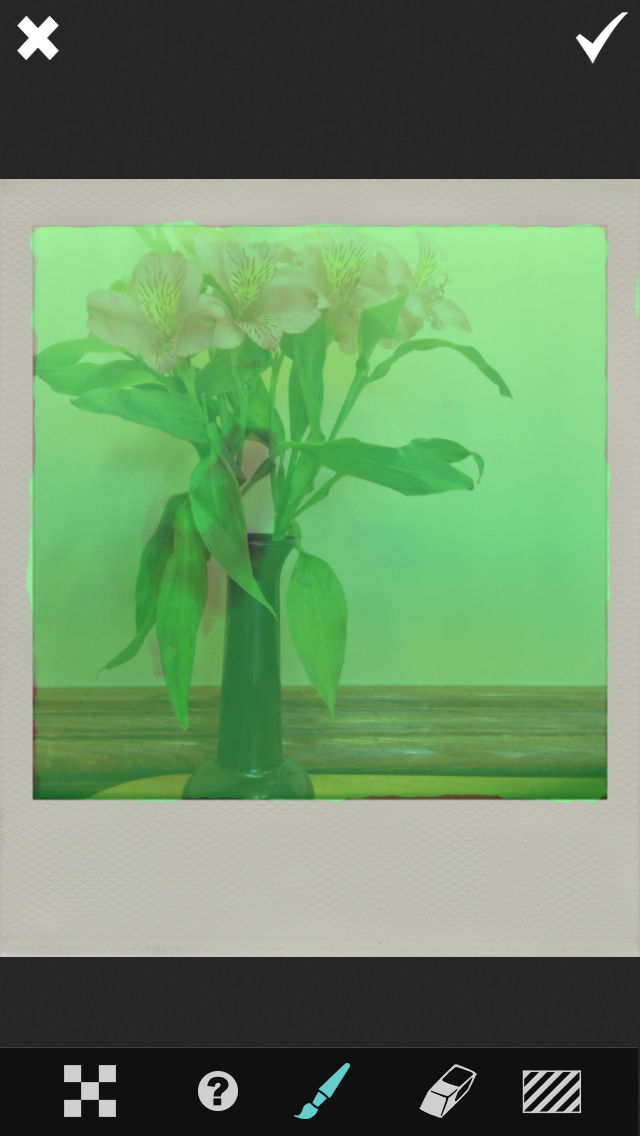
This image started with a simple grab shot of a little flower arrangement on a table at Chick-fil-a when I was killing some time before a Camera Club meeting I was judging. The process evolved as I was working through a few of my favorite apps and one I recently bought Polamatic. The process steps I took are in order below.
1. Camera+ original capture
2. Saturated in Leonardo
3. Image 2 opened in Polamatic and Filtered in Polamatic
4. Image 3 opened in Glaze and masked using the in app purchase mask feature.
5. Image 3 Glazed. Notice the cool effect of paint drips over the masked out border
using the workshop mode in Glaze to achieve a custom Glaze effect..

6. Image 5 opened in PhotoArtista Sketch with sketch effect reduced to
zero so that the paper texture is totally visible, almost completely obscuring the image file.
7. Image 5 and image 6 Blended and selectively masked in
ImageBlender for an aged paper look.

8. Image 7 adjusted for sharpness, saturation and brightness in Leonardo, then opened in Phonto to add the text.
Join me May 4th in Washington, DC for  my full day of Working with Apps in Depth class sponsored by Capital Photography Center where we will process images with cool apps like the ones used here! For more information and registration click here.